
「Google Maps JavaScript API error: RefererNotAllowedMapError」が発生した場合の対処法
- 作成日 2024.06.20
- javascript

Maps JavaScript APIで、エラー「Google Maps JavaScript API error: RefererNotAllowedMapError」が発生した場合の対処法を記述してます。
環境
- OS windows11 home
- ブラウザ chrome 126.0.6478.62
エラー全文
以下のコードで発生。keyもあっているのに、エラーが発生
<!DOCTYPE html>
<html>
  <head>
    <title>Simple Marker</title>
    <!-- The callback parameter is required, so we use console.debug as a noop -->
    <script async src="https://maps.googleapis.com/maps/api/js?key=xxxxxxxxxxxxxxxxxxxxxxxxxx&callback=console.debug&libraries=maps,marker&v=beta">
    </script>
    <style>
      /* Always set the map height explicitly to define the size of the div
       * element that contains the map. */
      gmp-map {
        height: 100%;
      }

      /* Optional: Makes the sample page fill the window. */
      html,
      body {
        height: 100%;
        margin: 0;
        padding: 0;
      }
    </style>
  </head>
  <body>
    <gmp-map center="35.01156997680664,135.7901153564453" zoom="14" map-id="DEMO_MAP_ID">
      <gmp-advanced-marker position="35.01156997680664,135.7901153564453" title="My location"></gmp-advanced-marker>
    </gmp-map>
  </body>
</html>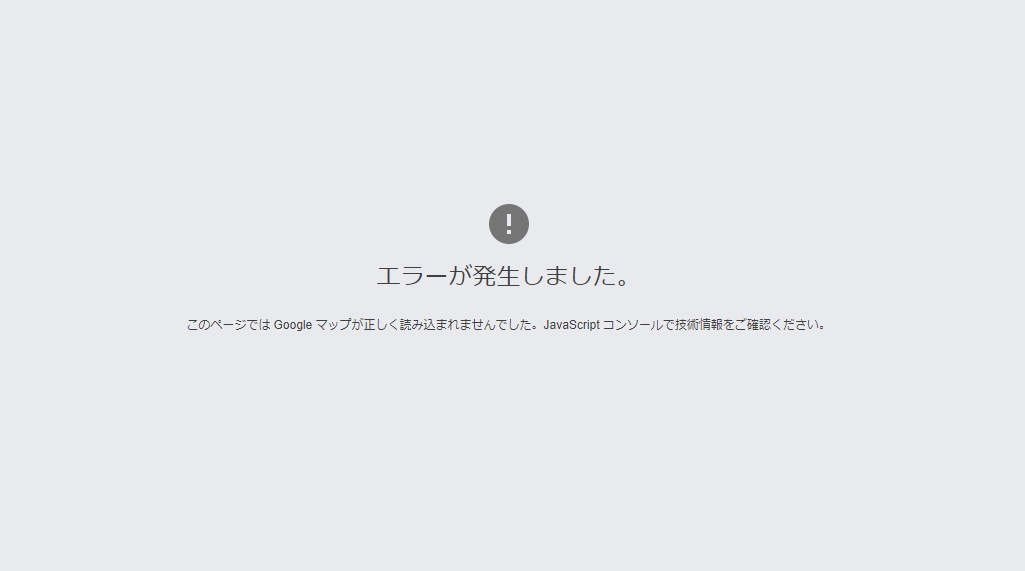

原因
httpリファラーの制限を「ドメイン名」だけでなく「https://」もいれていため
対処法
「APIキーを編集」を選択して、
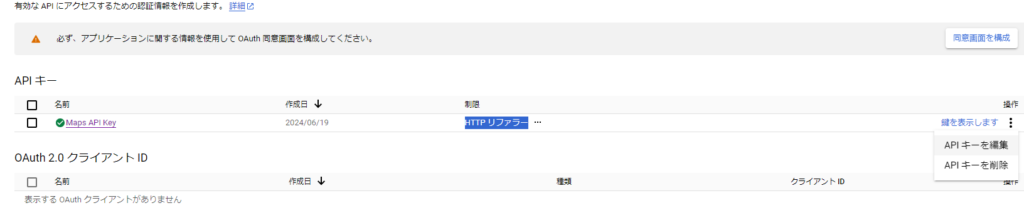
ウェブサイトの制限をドメイン名のみに変更する

-
前の記事

Dart Setの各値を演算して結果を蓄積する 2024.06.20
-
次の記事

kotlin !(びっくりマーク)を使用する 2024.06.21